Client Reports That Don't
Cost You the Week.
Upload the organic and paid exports you already download. Poststeady writes the summary, the watch-outs, and next month’s plan — you edit any line, then send it.
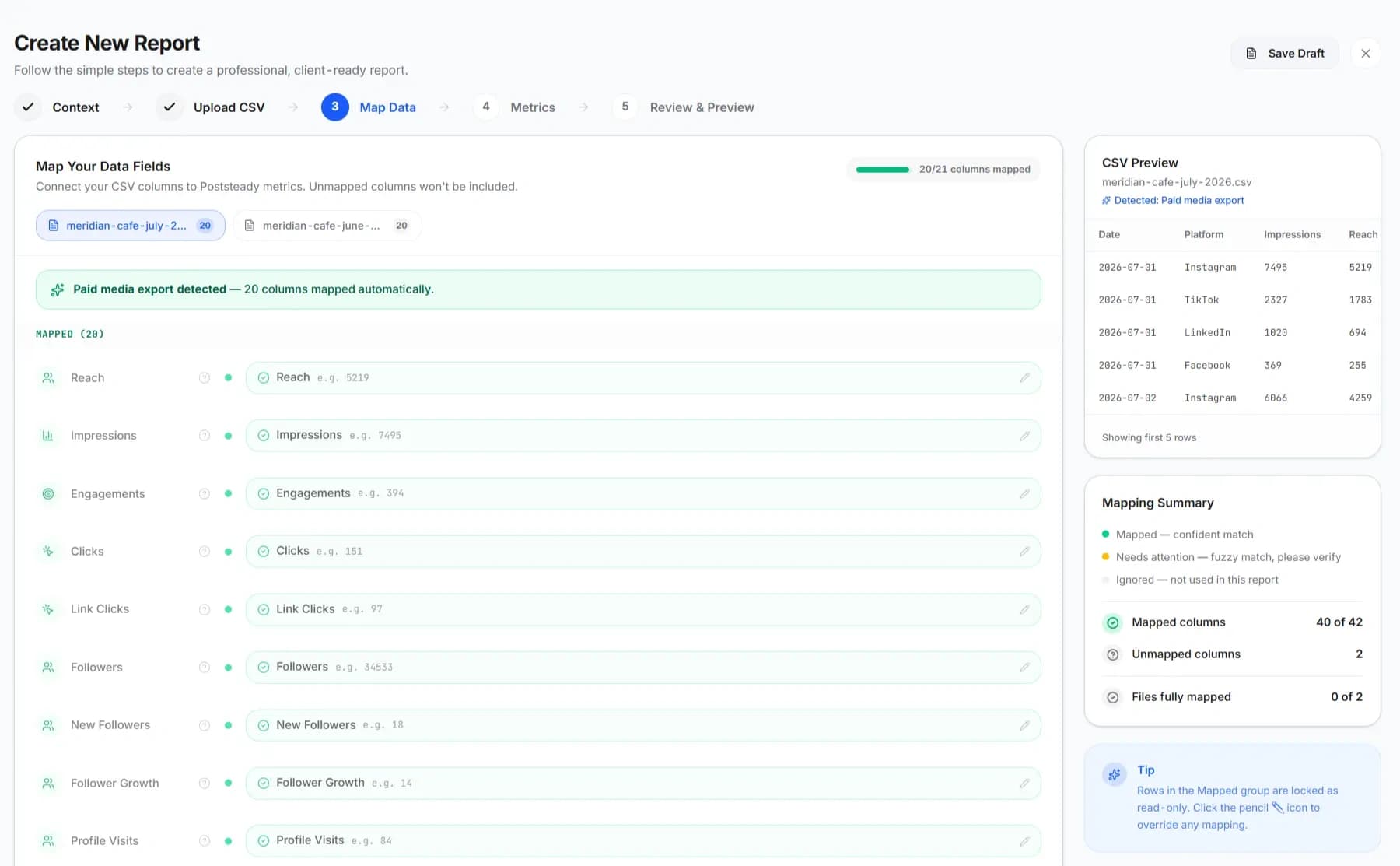
Every platform names the same metric differently. Poststeady already knows 175 of those names — you confirm the mapping, you don't build it.
Pulling the numbers is the easy part.
None of the week goes to the analysis your client is actually paying for.
- The exports never line up the same way twice.
- The commentary gets rewritten from scratch, for every client, every month.
- Most of the hour goes to formatting — margins, colors, slide layout.
Was this month worth it?
A chart doesn't answer that. A sentence does — which is why every Poststeady report includes one.
Five steps, once a month.
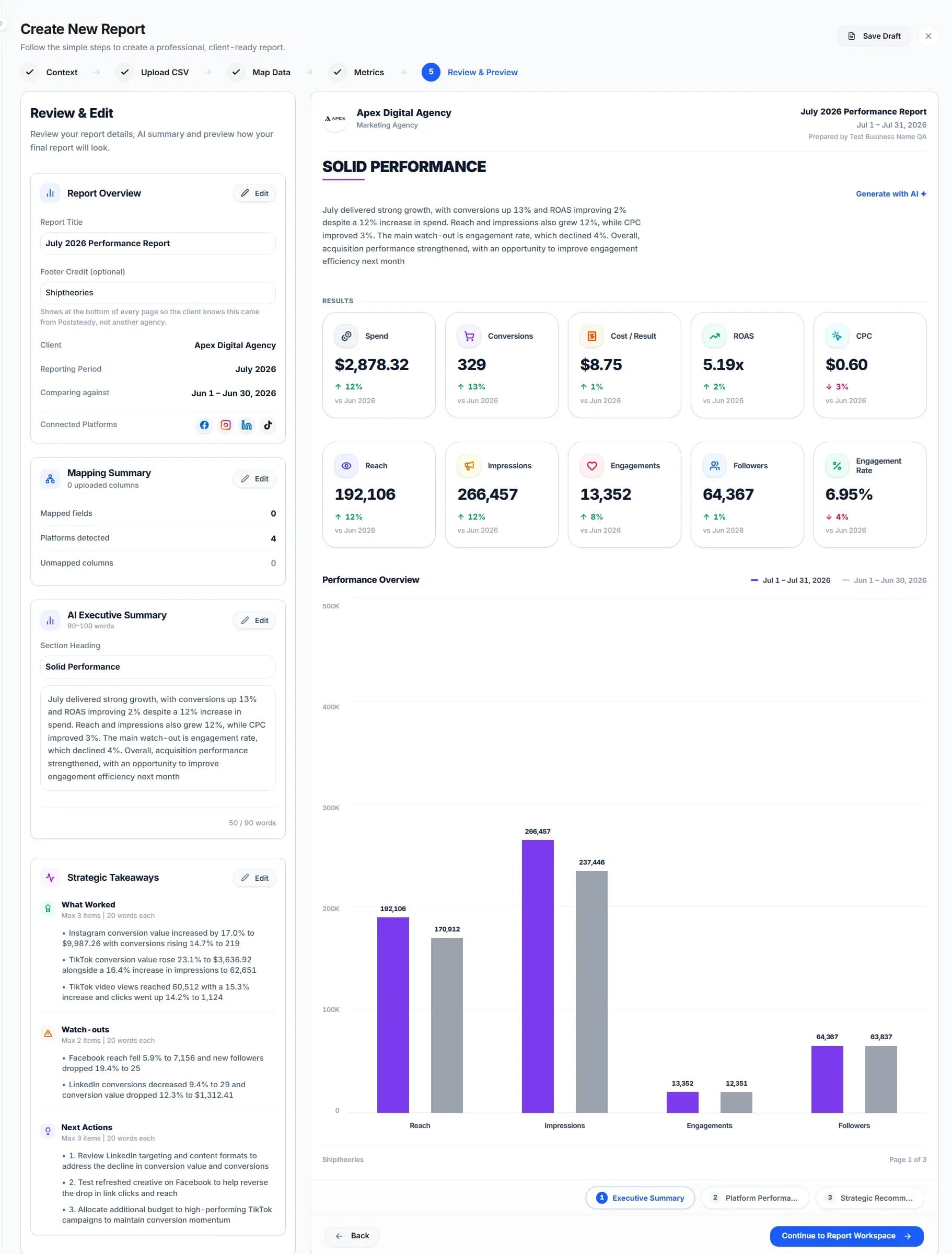
All of them real screens from the app.
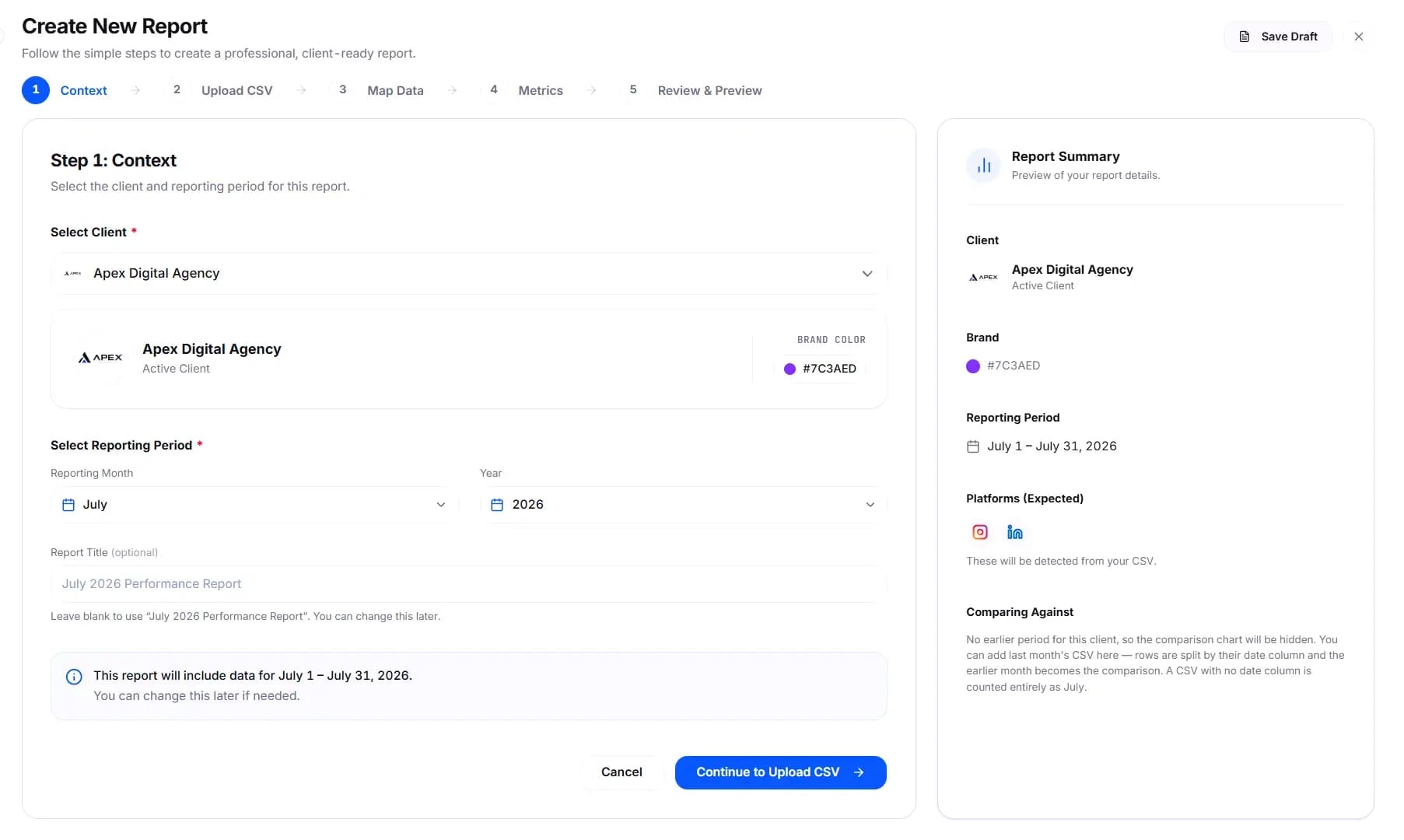
Pick the client and the period.
Their saved branding comes with them automatically — logo, color, and the platforms you usually report on for this client.
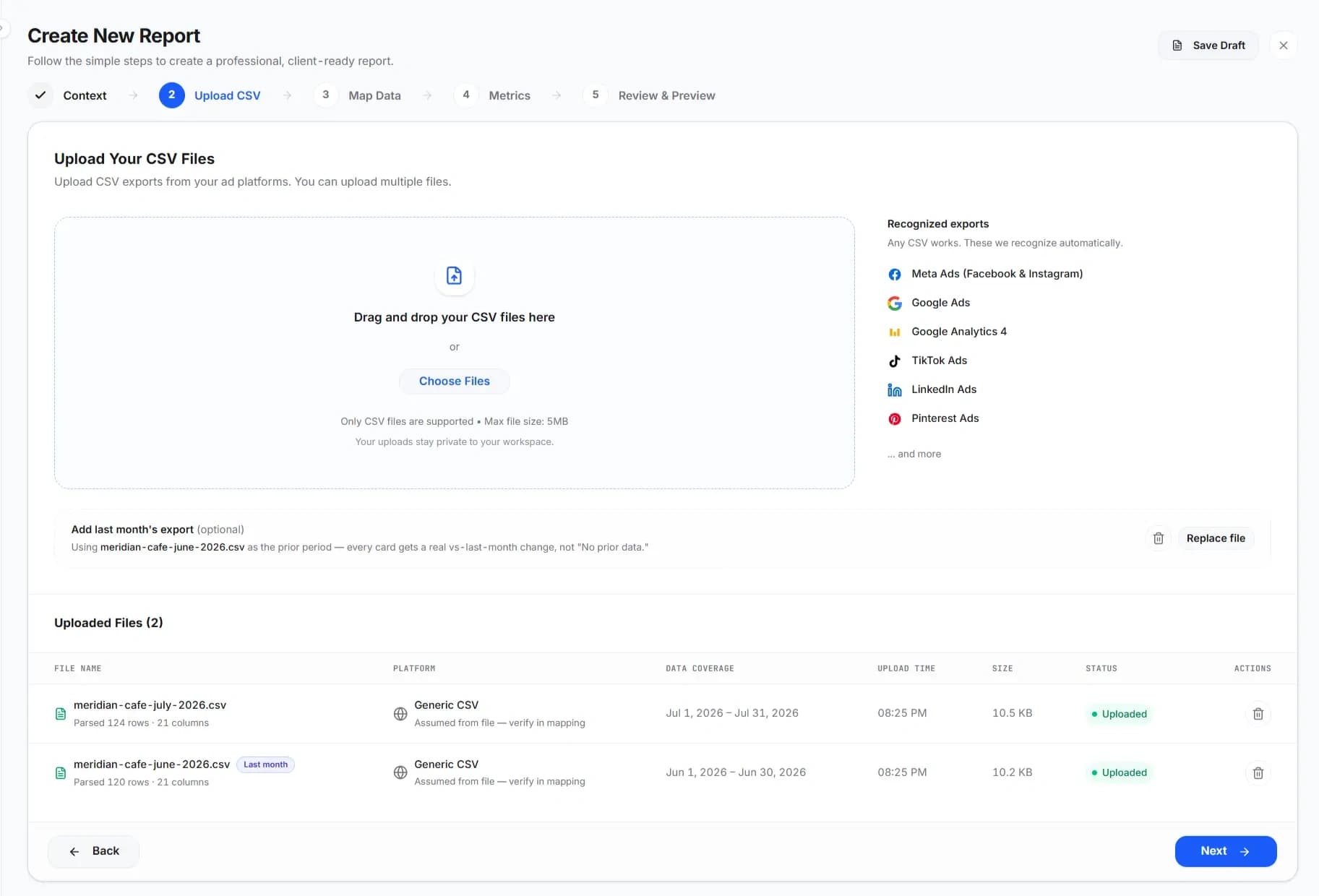
Drop in this month's exports.
And last month's too, if you want real period-over-period numbers instead of a single snapshot. Seven export formats recognized on sight — no picking a template first.
Confirm the mapping.
Mostly done for you. Anything uncertain gets flagged — never silently guessed — so you're checking a handful of rows, not mapping forty columns by hand.
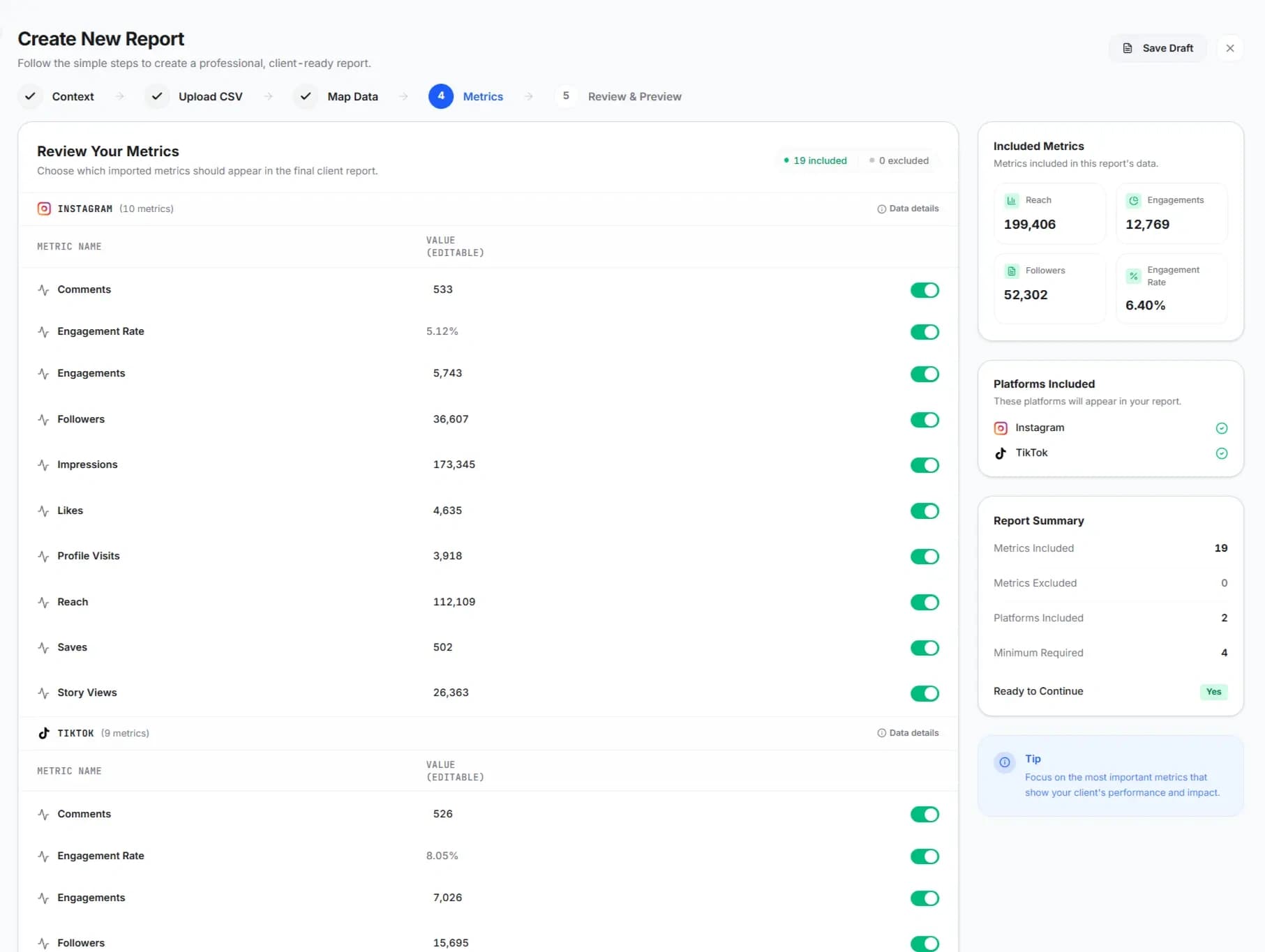
Review every number.
Correct anything that's off, hide what this client doesn't care about. 21 metrics available, plus calculated rates — you choose which ones actually make the report.
Read, edit, send.
The summary, the watch-outs, and next month's plan are drafted for you. Change any line. Export a PDF, or share a link — no login required for your client.
175 column names, mapped without you touching a dropdown.
"Impressions," "Reach," "Views" — every platform names the same number differently. Poststeady already knows the aliases, across Meta, TikTok, LinkedIn, Google Ads, and the paid exports from all of them.
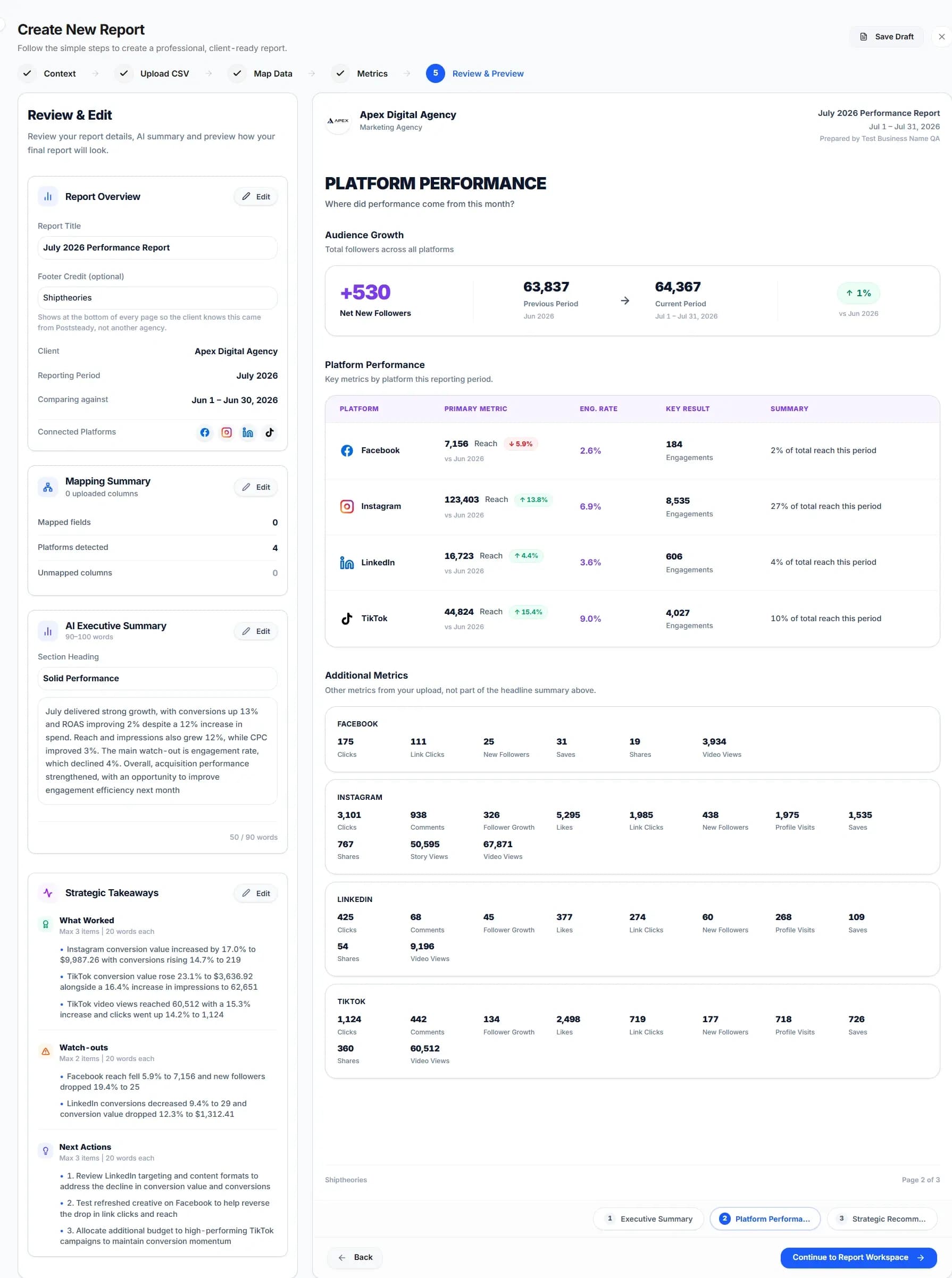
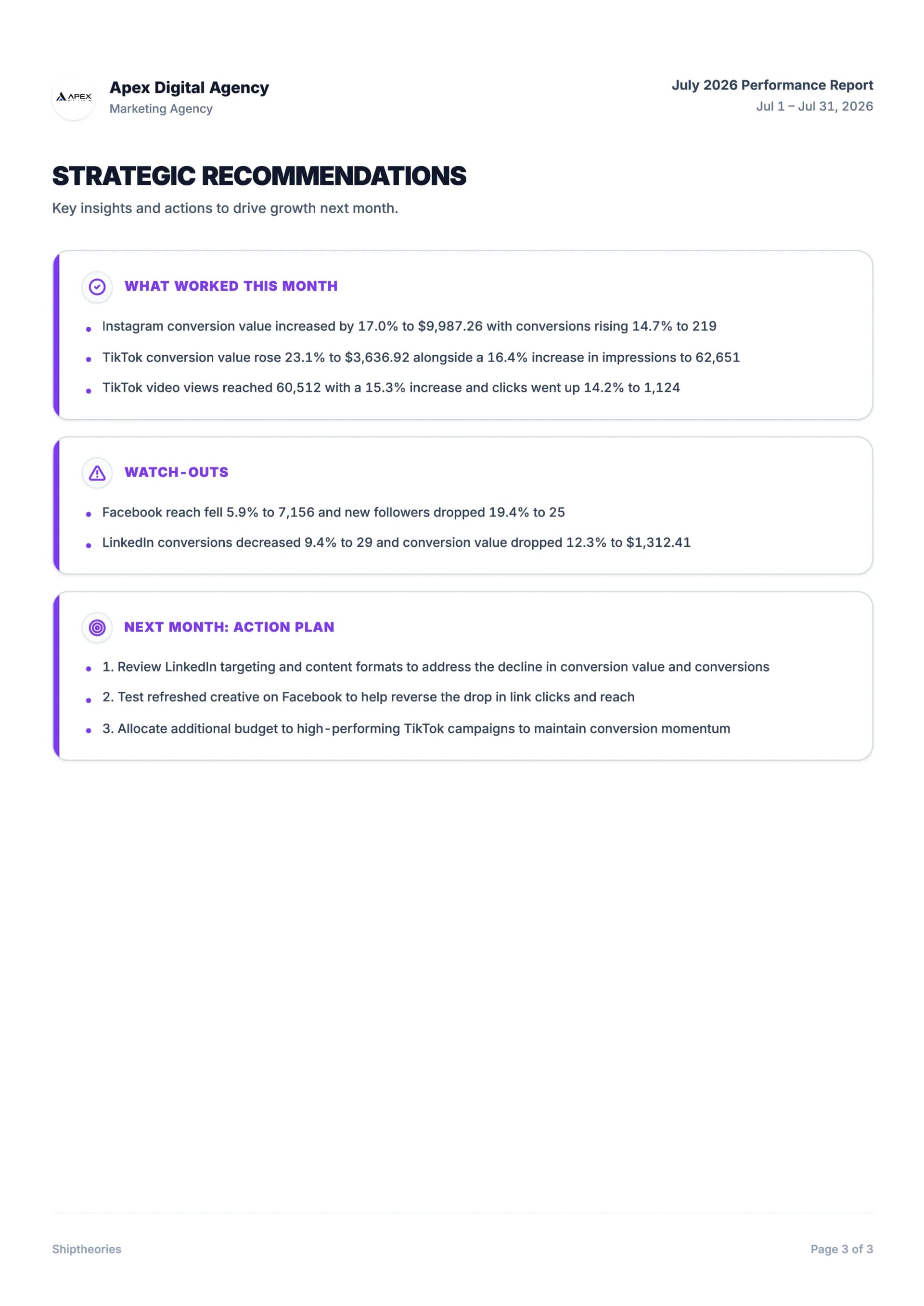
Three pages. One client report. Same structure every month.
Which is how your client learns where to look.

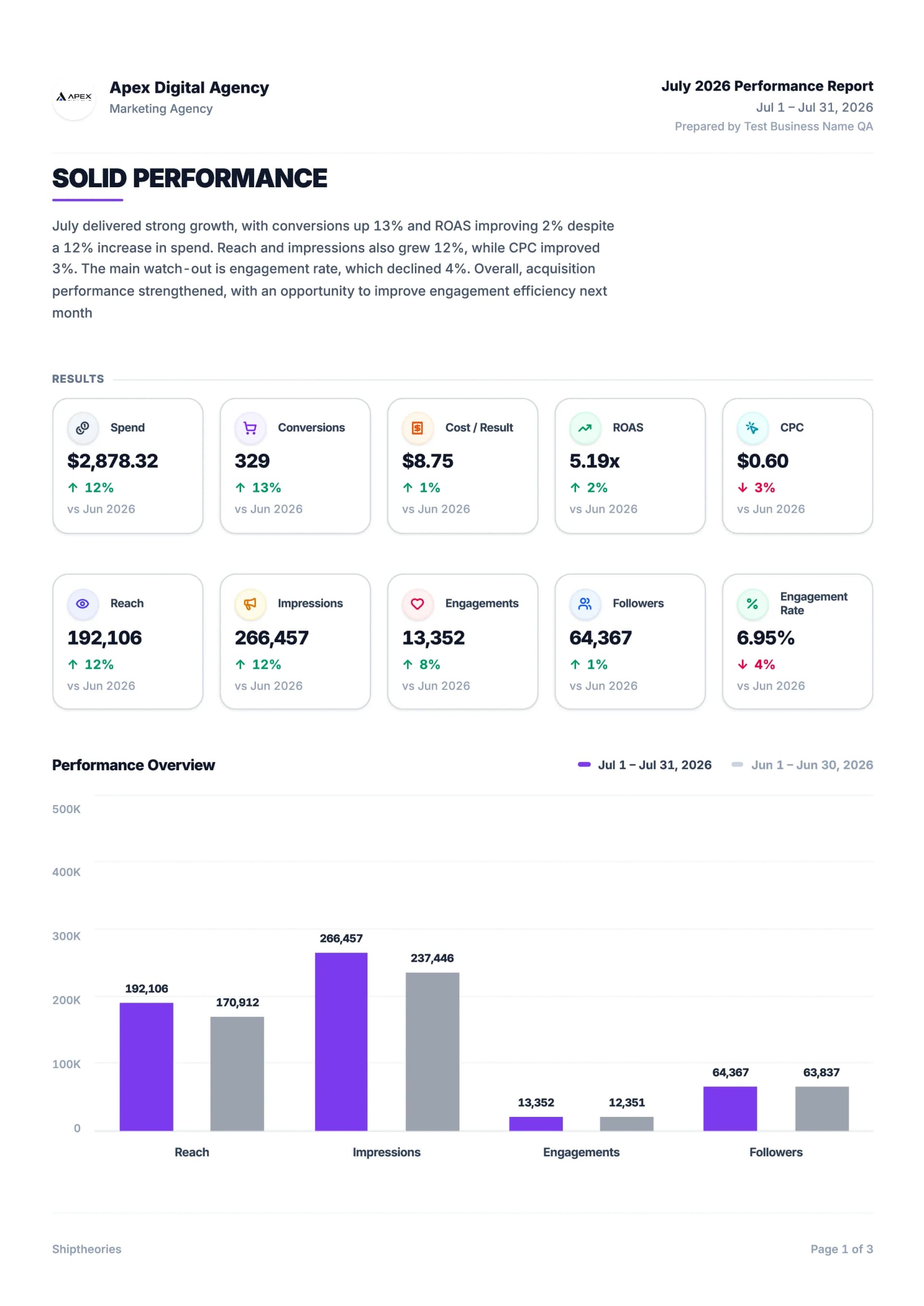
Your logo, the reporting period, the written summary, KPI cards against the previous period, and a month-over-month chart.
Each channel broken out on its own — not averaged into one number that hides the mix.
What worked this month, the watch-outs, and next month's action plan. Every block is editable, and every block can be regenerated on its own.
One file to attach, or a link that opens in any browser with no client login.
Download the sample PDFEvery number, explained — not just charted.
Poststeady reads your numbers and writes what they mean, in plain language, tied to the actual figures — so the explanation is already done before you open the file.
You never need to be let into your client's account.
You upload the file you already have. Nothing breaks when a platform changes its API terms, because Poststeady was never connected to it in the first place.
- A login to request
- An OAuth screen to sit through
- Waiting on a business manager
Your logo. Your color. Every time.
Save a client's branding once, and every report for them carries it automatically — the PDF and the share link both.
- Share link. Opens in any browser, on desktop or phone. No login for the client.
- PDF export. One print-ready file to attach to the email you were already sending.
- Branding. Logo and brand color saved per client, applied to every report.
Here's what that means for you.
This page shows the product instead of customer counts, logos, or quotes we haven't earned yet. Your uploads sit in your own private workspace, and nothing is sent anywhere until you export or share it.
Two plans. No trial clock.
Start free with two reports every month. Need a third report in the same month and Pro is the upgrade.
2 reports every month, forever. Full features. No watermark.
Same features as Free. More room.
Questions before you upload anything
A recurring document a freelancer or agency sends a client summarizing how that client's social accounts performed over a period — usually a month. It covers the headline numbers (reach, engagement, follower change), how they moved versus the previous period, a written read of what drove the change, and what to do next. The numbers alone aren't the report; the interpretation is what the client is paying for.
Map the export's columns onto the metrics you actually report on once, then reuse that mapping every month. Doing it in a spreadsheet works but you rebuild the formatting each cycle. Poststeady does the mapping automatically, remembers it per client, and outputs a branded three-page PDF — so month two is an upload instead of an afternoon.
No. Every major platform lets you export analytics to CSV from its own dashboard, and a CSV-first tool reports from those files. API-based tools need the client to grant account access, which is often slow, sometimes refused, and breaks whenever a platform changes its terms. Exporting is a couple of minutes a month and needs nobody's permission.
No. It reads your actual numbers, computes real period-over-period comparisons, and writes commentary tied to specific figures — then places it in a formatted, branded document. You're not pasting data into a chat window and reformatting the answer yourself.
Only if you send it unedited. Every line is a first draft you can rewrite, and the tone is deliberately plain rather than typical AI phrasing.
Because it means you never need API access to your client's accounts, and nothing breaks when a platform changes its terms. It's a couple of minutes, once a month, per client.
Anything uncertain is flagged instead of silently accepted. You can override any row, and step 4 shows you every number before it reaches the report — nothing goes out that you haven't seen.
Yes — upload as many CSVs as the month needs, from as many platforms the client has. Each one gets mapped and shown on its own platform page, so the mix stays visible instead of blended into one number.
It flags the file instead of guessing silently, and asks you to confirm the platform from a dropdown — using the filename as a starting guess if there's a clue in it. You correct it once, in a couple of clicks, and nothing goes into the report unconfirmed.
Two every month, forever, with full features — not a 14-day trial that runs out. If that's not enough, Pro is $10.99/month for unlimited.
The next one takes five minutes.
Upload this month's exports and read what it writes before you decide anything.
Free forever — 2 reports a month, no card, no watermark.
Don't take our word for it — ask an AI.
One click, no signup. It answers from public sources, not our copy.
2 free reports every month, forever. No credit card required.